Performance
Why Is My Website Slow? Core Web Vitals Explained (2026)
By Marcus Tan · 2026-07-08 · 9 min read
"Why is my website slow?" is usually asked as a technical question. It's really a revenue question. If your website is slow, you're not losing visitors at the bottom of the funnel — you're losing them before the funnel starts, in the two or three seconds where a customer decides whether this page is worth their attention. They don't email you to complain. They just leave, and you never find out they were there.
Google turned that instinct into three measurable numbers called Core Web Vitals. They're a confirmed ranking signal, but that undersells them: they're the closest thing you have to a readout of how your site feels to a real person on a real phone on a real cellular connection.
Here's what each one measures, why sites fail it, and what actually fixes it.
The three numbers that matter
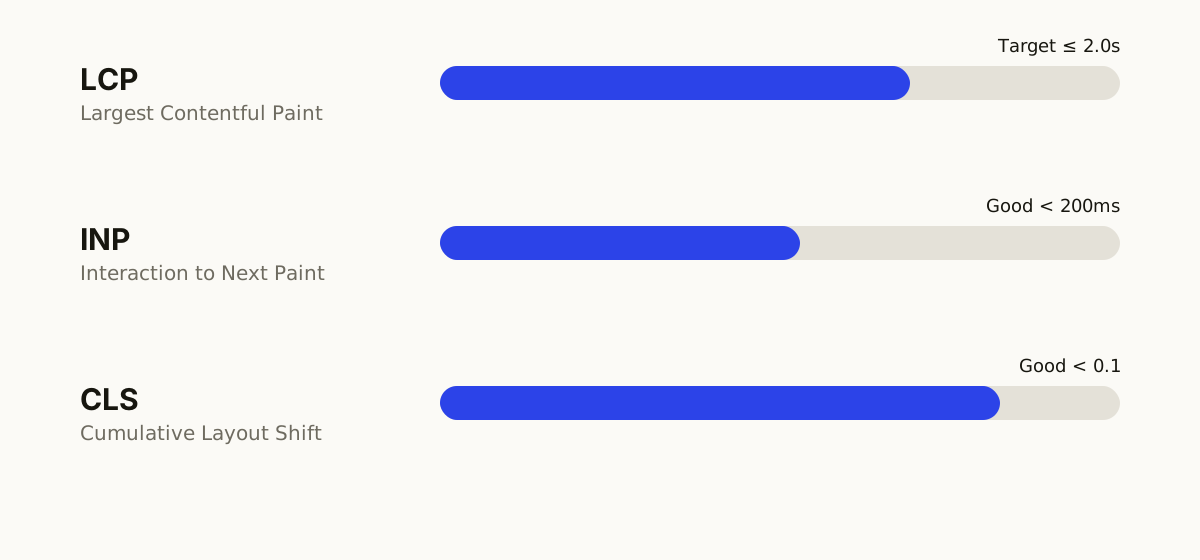
- LCP — Largest Contentful Paint. How long until the biggest thing on screen (usually your hero image or headline) actually appears. Good: under 2.5 seconds.
- INP — Interaction to Next Paint. When someone taps a button, how long before the page visibly responds. Good: under 200 milliseconds. INP replaced First Input Delay as an official Core Web Vital in March 2024, and it's stricter.
- CLS — Cumulative Layout Shift. How much the page jumps around while loading. Good: under 0.1.
One detail almost everyone misses: Google grades you at the 75th percentile of real visitors, not on a lab test. Three out of four people need a good experience for you to pass. Your site feeling fast on your office fiber connection and your new iPhone means nothing — that's the best case, and Google is grading closer to the worst one.
LCP: your page takes too long to show up
LCP is the honest answer to "does this site feel slow?" Almost every failure traces back to one of four causes:
- Enormous images. The single most common cause, by a wide margin. Someone uploads a 4MB photo straight from a camera and the browser dutifully downloads all 4MB before painting it. That image should be a resized, compressed WebP at maybe 150KB — visually identical, 25× smaller.
- A slow server. If the server takes a second to even start replying, you've spent 40% of your budget before a single byte of your page exists. Cheap shared hosting is the usual culprit.
- Render-blocking CSS and JavaScript. The browser hits a script tag in the head and stops everything until it's fetched and run. Your beautiful hero section is sitting there ready to paint, waiting on a chat widget.
- Fonts. A custom web font that loads late means your headline either flashes in unstyled or doesn't render at all until the font arrives.
The fix: compress and correctly size every image, serve modern formats, preload the hero image, defer non-critical scripts, and put the site on hosting and a CDN that respond quickly. None of this is exotic — it's just work that a template-and-plugin build almost never does.
INP: the page responds sluggishly when tapped
INP replaced the old First Input Delay metric, and it's the one most sites now fail. It measures every interaction, not just the first — so the tap that opens your mobile menu, the click that expands an FAQ, the "Add to cart" press. If the page takes 400ms to react, users feel it as jank, even if they'd never name it.
The cause is nearly always the same: too much JavaScript competing for the main thread. The browser can only do one thing at a time, and while it's busy executing a tracking script, a heatmap tool, a chat widget, an A/B testing snippet, and three plugins, your button press waits in line.
The fix: ruthlessly audit third-party scripts. Most sites are carrying two or three tools nobody has looked at in a year, each costing every visitor real responsiveness. Then break up long-running tasks, defer anything that isn't needed for the first screen, and stop shipping code for features that aren't on the page.
Every "just add this snippet" tool is a withdrawal from a budget you can't see until it's overdrawn.
CLS: the page moves while people are reading it
You know this one as a user even if you've never named it. You go to tap a link, an ad or image loads above it, the page shifts, and you tap the wrong thing. That's Cumulative Layout Shift — and it's infuriating precisely because it happens at the exact moment someone is trying to act.
The causes are mechanical, and so are the fixes:
- Images and videos without dimensions. If the browser doesn't know how much space to reserve, it reserves none, then shoves everything down when the image lands. Every image, video, and iframe needs explicit width and height.
- Ads, embeds, and banners injected into the layout after load. Reserve the space up front.
- Web fonts that swap. Text renders in a fallback font, then reflows when the real font arrives at a different size. Fix it by matching font metrics and preloading.
- Cookie banners and pop-ups that push content instead of overlaying it.
CLS is the cheapest of the three to fix and the most damaging to leave broken, because it directly costs you clicks on the buttons you care about.
What a slow site actually costs you
It's tempting to treat this as a technical scorecard. It isn't. Speed compounds through every number in your business:
- Fewer visitors stay. Bounce rate climbs steeply with every extra second of load time — and the people who leave are disproportionately the mobile, first-time, cold visitors you paid to acquire.
- Ads cost more. Google Ads factors landing page experience into Quality Score. A slow page means you pay more per click than a competitor for the same position.
- You rank lower. Core Web Vitals are a genuine ranking factor — usually the tiebreaker between pages of similar quality, which is exactly the fight most businesses are in.
- Conversions drop. A page that stutters when tapped reads as unreliable, and unreliable is not what anyone wants to feel while typing in their card number. It's the same instinct behind the design details that build trust.
How to check your own site in five minutes
Run your homepage through Google PageSpeed Insights. Ignore the big score at the top — it's a lab simulation and it fluctuates. Scroll to the section headed "Discover what your real users are experiencing". That's field data from actual Chrome visitors, and that's what Google grades you on. If that section is missing, your site doesn't get enough traffic for Google to have collected data yet.
Then check the same URL in Google Search Console under Core Web Vitals for a page-by-page view, and test on a mid-range Android phone on mobile data — not your laptop. While you're in there, it's worth checking that Google is indexing your pages at all — a slow site and an invisible site are different problems with different fixes.
Speed is a build decision, not a plugin
Here's the uncomfortable part: you can't reliably bolt performance onto a site that wasn't built for it. Caching plugins buy you a little. But if the theme ships 800KB of JavaScript for a carousel you don't use, if every section is a page-builder wrapper inside a wrapper, if the hosting is slow — you're optimizing around a problem that was baked in on day one.
That's why we build custom sites rather than templates: the fastest way to load less code is to never write it. We ship what the page needs and nothing else, size and compress every image at build time, and deploy to a CDN so the page starts arriving immediately, wherever the visitor is. Fast isn't a phase at the end of the project. It's a consequence of decisions made at the start — the same way a homepage converts because of how it was structured, not because of what was added later.
Common questions about website speed
How fast should my website load?
Aim for your main content to appear in under 2.5 seconds for at least 75% of real visitors — that's Google's "good" LCP threshold. In practice, target closer to 2 seconds, because the threshold is a pass mark, not a goal. Every additional second between 1 and 4 seconds measurably increases the share of people who give up and leave.
Do Core Web Vitals really affect my Google ranking?
Yes, but keep it in proportion. They're a genuine ranking signal and Google says so plainly, though relevance and content quality outrank them. The realistic way to think about it: Core Web Vitals rarely win you a position on their own, but they're the tiebreaker between two pages Google considers equally relevant — which is exactly the situation most businesses are competing in. And the conversion benefit lands whether or not the ranking moves.
Why is my website slow on mobile but fine on my laptop?
Because your laptop is not your customer. Phones have slower processors, and mobile networks add latency your office wi-fi doesn't. That heavy JavaScript bundle your laptop chews through in 200ms can take a mid-range Android two full seconds. Since Google indexes mobile-first and most of your visitors arrive on a phone, the mobile number is the real number — the desktop one is a flattering illusion.
Will a caching plugin fix my slow website?
Partly, and it's usually the right first move on an existing site. But caching speeds up how fast the server sends the page; it does nothing about a page that ships 800KB of JavaScript, loads six third-party scripts, and serves uncompressed images. If those are your problem — and for most slow sites they are — caching moves you from very slow to slow.
How much does it cost to fix a slow website?
It depends entirely on why it's slow. Compressing images and removing dead third-party scripts is often an afternoon's work with an immediate payoff. Re-engineering a bloated page-builder theme is a rebuild wearing a different name, and at that point you're weighing it against the cost of building the site properly — usually the better investment, because you also fix everything else that was baked in on day one.
Want to know why your site is slow — and what it'd take to fix? Get a free consultation and we'll run the numbers with you.